
大约 2 分钟
Axios 提供了 raw 来提供原始数据
以下是一个简单的封装方法,具体可以根据 type 的不同来操作
// type
interface toDoListType {
  id?: number
  done: boolean
  text?: string
  time: string

  // [proName: string]: an
}
/**封装 */
import axios from 'axios'
import type { AxiosInstance, AxiosRequestConfig, AxiosResponse } from 'axios'

const service: AxiosInstance = axios.create({
  baseURL: '',
})
export const http = {
  get<T = any>(url: string, config?: AxiosRequestConfig): Promise<AxiosResponse<T>> {
    return service.get(url, config)
  },

  post<T = any>(url: string, data?: object, config?: AxiosRequestConfig): Promise<AxiosResponse<T>> {
    return service.post(url, data, config)
  },

  put<T = any>(url: string, data?: object, config?: AxiosRequestConfig): Promise<AxiosResponse<T>> {
    return service.put(url, data, config)
  },

  delete<T = any>(url: string, config?: AxiosRequestConfig): Promise<AxiosResponse<T>> {
    return service.delete(url, config)
  },
}
要注意的是返回值要套上 AxiosResponse,因为 axios 的返回值是 AxiosResponse,如果直接返回,那么在后续发送请求时,data 会显示无此类型,而你设计 data 的类型又会不知道怎么办
请求示例
import type { toDoListType } from '../src/types/listype'
import { http } from '../src/utils/request'

// const showLists = async () => {
//   const res = await axios.get("http://localhost:3000/todos");
//   console.log(res.data);
//
// };

export async function getLists(): Promise<toDoListType[]> {
  const res = await http.get<toDoListType[]>('/todos')
  return res.data as toDoListType[]

}

export async function addList(list: toDoListType): Promise<toDoListType[]> {
  const res = await http.post<toDoListType[]>('/todos', list)
  return res.data
}
export async function deleteList(id: number): Promise<toDoListType[]> {
  const res = await http.delete<toDoListType[]>(`/todos/${id}`)
  return res.data
}
export async function updateListItem(list: toDoListType): Promise<toDoListType[]> {
  const res = await http.put<toDoListType[]>(`/todos/${list.id}`, {
    done: list.done,
  })
  return res.data
}
设置拦截器
一般在使用 axios 时,会用到拦截器的功能,一般分为两种:请求拦截器、响应拦截器。
请求拦截器
在请求发送前进行必要操作处理,例如添加统一 cookie、请求体加验证、设置请求头等,相当于是对每个接口里相同操作的一个封装;
响应拦截器
同理,响应拦截器也是如此功能,只是在请求得到响应之后,对响应体的一些处理,通常是数据统一处理等,也常来判断登录失效等。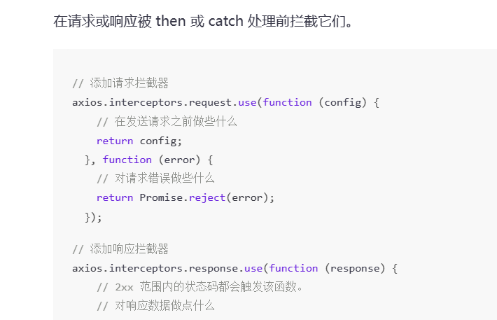
举个栗子
service.interceptors.request.use(
  (config) => {
    // 在发送请求之前做些什么
    const useUserStore = userStore();
    const token = useUserStore.token;
    if (token) config.headers.token = token;
    // config是请求的配置信息,我们可以自定义的附带一些参数在请求头,比如说token啊,cookies啊
    // 这些东西是很常用的,也就是说我们设置了拦截器的话,每次请求前都会做这么一件事
    console.log(config);
    return config;
  },
  (error) => {
    // 对请求错误做些什么
    return Promise.reject(error);
  }
);