
起因
写py大作业的时候发现手势控制鼠标老鼻子卡,想康康有没有更丝滑的,然后就找到了这哥们
https://blog.csdn.net/dgvv4/article/details/122268203
ok直接cv,然后这哥们用了autopy,那就安装被
好,问题来了,又是说我缺少rustc 又是说我缺少一个什么wheel的
简单来说就是,这玩意是用rust写的,需要rust环境才能运行,而且看了官网,
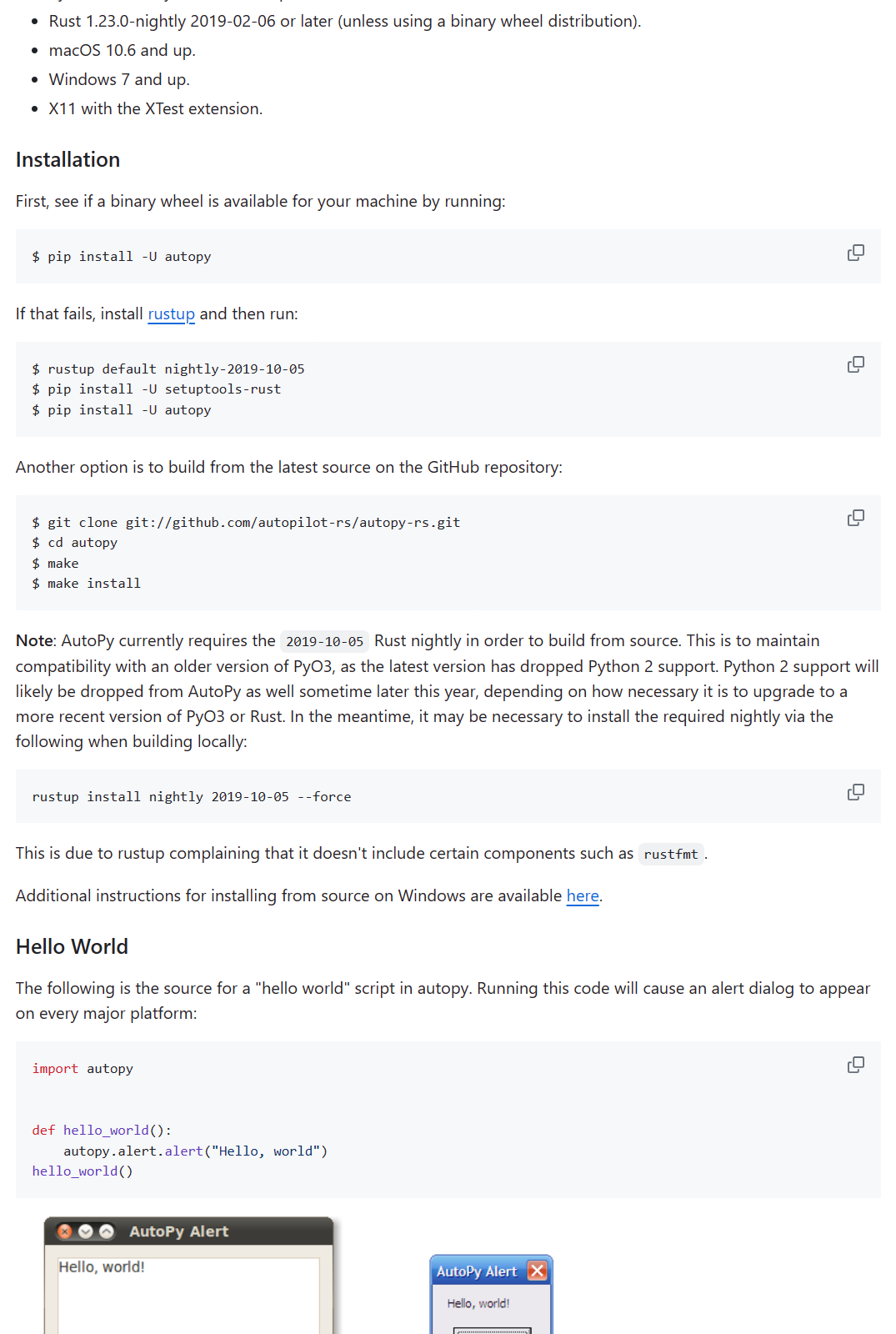
然后我就照着装了
还是出现了以下的报错
PS C:\vscode\python> pip install autopy
Collecting autopy
  Using cached autopy-4.0.0.tar.gz (20 kB)
  Preparing metadata (setup.py) ... error
  error: subprocess-exited-with-error

  × python setup.py egg_info did not run successfully.
  │ exit code: 1
  ╰─> [6 lines of output]
      Traceback (most recent call last):
        File "<string>", line 2, in <module>
        File "<pip-setuptools-caller>", line 34, in <module>
        File "C:\Users\31647\AppData\Local\Temp\pip-install-eojqaqou\autopy_3670b565a9404a3da1bf521f2de792f6\setup.py", line 8, in <module>
          from setuptools_rust import Binding, RustExtension
      ModuleNotFoundError: No module named 'setuptools_rust'
      [end of output]

  note: This error originates from a subprocess, and is likely not a problem with pip.
error: metadata-generation-failed

× Encountered error while generating package metadata.
╰─> See above for output.

note: This is an issue with the package mentioned above, not pip.
hint: See above for details.
Downloading autopy-4.0.0.tar.gz (20 kB)
  Preparing metadata (setup.py) ... done
Building wheels for collected packages: autopy
  Building wheel for autopy (setup.py) ... error
  error: subprocess-exited-with-error

  × python setup.py bdist_wheel did not run successfully.
  │ exit code: 1
  ╰─> [20 lines of output]
      running bdist_wheel
      running build
      running build_py
      creating build
      creating build\lib.win-amd64-cpython-310
      creating build\lib.win-amd64-cpython-310\autopy
      copying autopy\__init__.py -> build\lib.win-amd64-cpython-310\autopy
      running build_ext
      running build_rust
      error: can't find Rust compiler

      If you are using an outdated pip version, it is possible a prebuilt wheel is available for this package but pip is not able to install from it. Installing from the wheel would avoid the need for a Rust compiler.

      To update pip, run:

          pip install --upgrade pip

      and then retry package installation.

      If you did intend to build this package from source, try installing a Rust compiler from your system package manager and ensure it is on the PATH during installation. Alternatively, rustup (available at https://rustup.rs) is the recommended way to download and update the Rust compiler toolchain.
      [end of output]

  note: This error originates from a subprocess, and is likely not a problem with pip.
  ERROR: Failed building wheel for autopy
  Running setup.py clean for autopy
Failed to build autopy
ERROR: Could not build wheels for autopy, which is required to install pyproject.toml-based projects
然后我去搜了b站,发现这玩意只能运行在py3.8以下的版本,而我的版本是3.10,所以我就得主动降级了,然后nnd,发现都整完了,还是不行,还是出现说找不到轮子
最后我学会了一手手动安装轮子,然后就解决了问题,终于能找到autopy包了,后面mediapipe也是python版本问题,3.10上装了再install就不行了,会提示已拥有,我也在python3.8的包库里手动装了mediapipe的whl也解决了感觉这个可以解决大部分的包问题
解决
安装rustc
看官网。。。这玩意还需要下载visual Studio的tool
下载python3.8
手动安装whl
可以看这个blog https://zhuanlan.zhihu.com/p/624374119
whl后缀的文件是python的包文件,相当于是一个压缩包,里面包含了python的包
这个得学
首先去https://pypi.org/project/autopy/#files 找到对应的版本,然后下载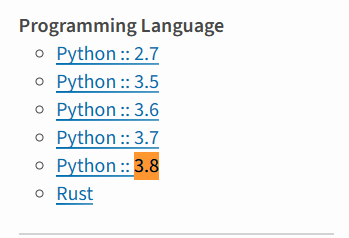
在这里也可以看到py的限制版本在3.8及以下
然后我们找到了以后,就可以把这个放到python的根目录下,或者项目的根目录下
cd 根目录,运行
python -m pip install autopy-4.0.0-cp38-cp38-win_amd64.whl
可以先看一下系统具体可以安装哪些标签的.whl文件,可以在命令提示符窗口输入:pip debug --verbose,兼容的文件标签就会显示。